

Subscription Billing Software: How to Choose the Right Platform
Most comparisons list features. This one explains what actually matters when choosing subscription billing software, and how the platforms genuinely differ.
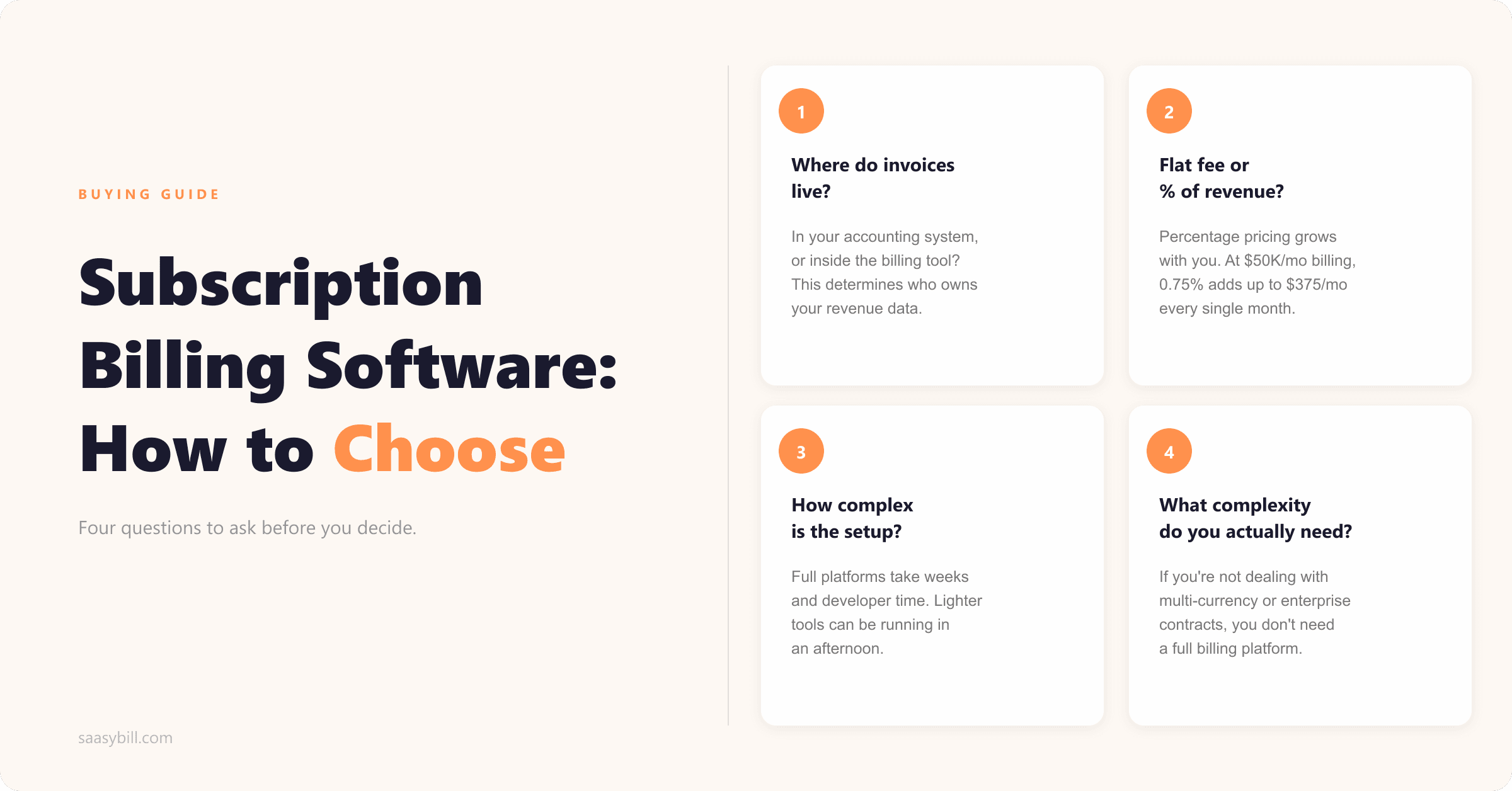
If you search for subscription billing software, you'll find no shortage of comparisons. Feature tables, pricing breakdowns, star ratings from review sites. Most of them cover the same ground and reach the same conclusion: here are four platforms, they're all broadly capable, pick the one that fits your budget.
That framing misses the thing that actually determines whether a billing tool works for your business. The features matter less than the architecture. Specifically: where does your invoicing live after you set this up, and what does that mean for everything downstream?
This guide covers what to actually look for, how the main platforms differ, and how to make the decision without getting lost in feature comparisons that don't matter for your situation.
What subscription billing software actually does
Before evaluating tools, it's worth being clear about the problem they're solving.
If you run a SaaS business with recurring subscriptions, someone or something has to handle the following: creating invoices at each renewal, adjusting amounts when customers change plans mid-cycle, tracking who's paid and who hasn't, retrying failed payments, and sending the right numbers to your accounting system.
At low customer counts, most companies do this manually. It works until it doesn't. Around 20 to 30 customers, the monthly invoicing run starts taking hours. Errors creep in. Someone upgrades mid-month and the proration math gets done inconsistently. A customer cancels and the credit note doesn't get issued.
Subscription billing software automates that entire process. You define your plans and pricing once, attach subscriptions to customers, and the platform handles the rest at each renewal. The question is how it handles the rest, and what that means for your accounting setup.
What to look for
Where invoices are created
This is the most important question to ask, and most comparisons don't surface it clearly.
Some billing platforms create invoices inside their own system and send data back to your accounting tool. Your invoicing lives in the billing platform. What arrives in Xero, QuickBooks, or wherever you work is typically a summarised sync rather than the full transaction detail.
Other platforms create invoices directly inside your accounting system. The billing logic happens externally, but the output lands in the right place from the start.
The distinction matters because your accounting system is where your accountant works, where your reporting runs, and where reconciliation happens. If invoicing moves to a separate system, that data either arrives incomplete or requires manual cross-referencing. It's a problem that tends to be underestimated during the buying process.
How it charges you
Billing software pricing comes in a few different shapes. Some platforms charge a flat monthly or annual fee regardless of revenue. Others charge a percentage of the revenue you process through them. Some combine both.
Percentage-based pricing is easy to absorb at low volumes and compounds quickly as you grow. At $10K/month in billing, a 0.75% fee is $75. At $50K/month, it's $375. At $100K/month, it's $750. That's an ongoing cost that scales with your success rather than your usage of the software.
Flat-fee pricing is more predictable. You know what you're paying, and growing your revenue doesn't automatically increase your bill.
How complex it is to implement
Full-featured billing platforms require meaningful setup time. Mapping your pricing model, configuring payment gateways, building integrations, testing billing logic across plan combinations: this work is real, and it typically requires someone technical. For a small team without developer resources, it's a serious cost to factor in before signing up.
Lighter-weight tools are often much faster to get running. If you're not dealing with multi-currency, complex tax compliance, or enterprise contract terms, you probably don't need the implementation overhead of a full billing platform.
What billing complexity you actually need
Most subscription billing tools are built to handle a wide range of scenarios: usage-based billing, multi-currency, complex tax compliance across multiple jurisdictions, enterprise contract terms, revenue recognition for auditors. These are genuine requirements for the right kind of company.
If you're a B2B SaaS business with a straightforward set of subscription plans, invoiced monthly or annually, most of that capability is irrelevant to you. You'll pay for it anyway, because the pricing and architecture of those platforms is built around it.
It's worth being honest about where you actually are versus where you might be in three years. Buy for now with a clear migration path, rather than paying for scale you don't yet have.
The main platforms
Saasybill
Best for: B2B SaaS companies with 20 to 300 customers on Xero
Saasybill is built specifically for SaaS companies using Xero. Rather than running invoicing through its own system, it sits alongside Xero and handles the subscription logic that Xero doesn't do natively. You set up your pricing plans, attach subscriptions to customers, and Saasybill creates invoices directly inside Xero at each renewal. Proration, mid-cycle upgrades, and credit notes all land in Xero as proper invoices, just as they would if you'd created them by hand.
Your accounting setup doesn't change. Xero stays the source of truth. There's no sync to manage, no summarised journal entries, and no revenue data sitting in a third-party system. Your accountant works in Xero exactly as they always have.
There are no transaction fees. Flat monthly subscription, nothing else.
The scope is narrower than full billing platforms by design. Saasybill handles subscription billing for Xero users well. It doesn't do global tax compliance, multi-entity structures, or complex contract terms. If you're not dealing with global operations, multi-entity structures, or complex tax requirements, and your accounting system is Xero, that scope is probably exactly what you need.
If you're on Xero specifically, the more detailed comparison is here.
Chargebee
Best for: Companies with complex billing requirements or global operations
Chargebee is one of the more established platforms in subscription billing. It handles subscriptions, invoicing, revenue recognition, dunning, multi-currency, and tax compliance across multiple jurisdictions. The product has been built for companies with complex billing needs, and the feature set reflects that.
Invoicing runs through Chargebee. What arrives in your accounting system, including Xero, is a summarised sync rather than full itemised invoice data.
Pricing starts with a free tier up to $250K USD cumulative billing, then 0.75% on everything above that. Higher tiers move to flat annual fees with minimum commitments and billing volume caps. At each tier transition, costs step up.
Chargebee makes sense for companies operating across multiple countries, with complex tax requirements, or at a scale where the accounting integration trade-offs are an acceptable cost for the features they need.
Recurly
Best for: Mid-market and enterprise companies with high billing volumes
Recurly sits in similar territory to Chargebee, with a stronger emphasis on revenue recovery and dunning. The platform has invested in failed payment handling and involuntary churn reduction, and companies with large numbers of subscribers and high card-decline rates often find the recovery tooling pays for itself.
Plans start at around $249/month. There's no free tier or usage-based entry point.
Like Chargebee, invoicing runs through Recurly. The Xero integration sends data back, but invoices live in Recurly.
Recurly makes sense at higher volumes where dunning sophistication and analytics depth matter more than price point or accounting integration.
Stripe Billing
Best for: Companies already deep in the Stripe ecosystem
Stripe Billing is the default choice for many SaaS companies because they're already using Stripe for payments. Adding billing feels like a natural extension, and setup is reasonably straightforward for a technical team.
The Xero integration is the main limitation. Stripe sends transaction data to Xero, but what arrives depends on the integration method. The native connection gives you bank feed data rather than proper invoices. Getting itemised invoice detail into Xero typically requires third-party tools or custom work.
Stripe charges transaction fees on payments processed through its platform, on top of standard card fees.
Stripe Billing works well if you want a single vendor for payments and billing and your accounting setup doesn't depend on invoice-level detail in Xero.
Paddle
Best for: SaaS companies that want billing and merchant-of-record combined
Paddle operates as a merchant of record, which means it handles payments, tax, and compliance on your behalf. You sell through Paddle and receive net revenue after fees. This is a different model from the other platforms here: Paddle is the seller legally, not just the processor.
For companies selling globally to individual consumers or small businesses, this can significantly reduce tax compliance overhead. For B2B SaaS companies selling to larger businesses that require proper invoices and specific payment terms, the merchant-of-record model creates friction.
Paddle charges 5% plus 50c per transaction. It's a significant cost but includes tax handling that would otherwise require separate infrastructure.
How they compare
| Saasybill | Chargebee | Recurly | Stripe Billing | Paddle | |
|---|---|---|---|---|---|
| Invoices created in Xero | Yes | No | No | No | No |
| Transaction fees | No | Yes (Starter) | No | Yes | Yes (5% + 50c) |
| Starting price | $75/month | Free tier, then % | ~$249/month | % of revenue | % of revenue |
| Setup complexity | Low | Medium to high | Medium to high | Low to medium | Low to medium |
| Global tax compliance | No | Yes | Yes | Partial | Yes (MoR) |
| Best for | Xero users, 20–300 customers | Complex/global billing | High volume, mid-market | Stripe-first teams | Global consumer/SMB |
How to decide
Start with two questions, in this order.
What does your accounting setup look like? If you're on Xero and your accountant relies on it for reporting and reconciliation, you need a tool that either creates invoices in Xero or has an integration that preserves full invoice detail. That rules out most of the major platforms and makes the choice fairly simple.
What billing complexity do you actually have? If you're not dealing with multi-currency, multi-entity structures, or multi-country tax requirements, you don't need a full billing platform.
Most small-to-mid B2B SaaS companies find they're in that position: on Xero, without the scale or operational complexity that justifies a full billing platform. For that situation, the large platforms are more tool than is needed, and the trade-offs they introduce around accounting integration are costs that don't come with commensurate benefit.
For companies that have genuinely outgrown their accounting system and are running financial operations from a dedicated finance platform, Chargebee or Recurly become the more natural fit.
Start billing automatically in minutes.
Connect Xero, set up your plans, and have your first subscription running today. Every invoice lands directly in Xero.