

The Problem With Xero Repeating Invoices (And Why It Gets Worse Over Time)
Xero repeating invoices feel like a billing solution until something changes. Here's why they break down for SaaS companies and what to do instead.
Xero repeating invoices are the first thing most SaaS founders try when they want to automate their billing. It makes sense: the feature is already there, it's free, and setting one up takes about five minutes. You pick an amount, choose a frequency, and Xero handles the rest.
That works fine until something changes. And in subscription businesses, things change constantly.
How Xero repeating invoices actually work
A repeating invoice in Xero is a template. You define the line items, the amount, and when it should fire. At the scheduled date, Xero creates a draft invoice from that template and either sends it automatically or holds it for you to approve.
For a business with a handful of customers on identical plans who never change anything, that's enough. The problem is that almost no SaaS business actually looks like that.
What breaks when customers change
The most common issues with Xero repeating invoices in SaaS billing aren't bugs or technical failures. They're the predictable result of using a static template system for a dynamic billing problem.
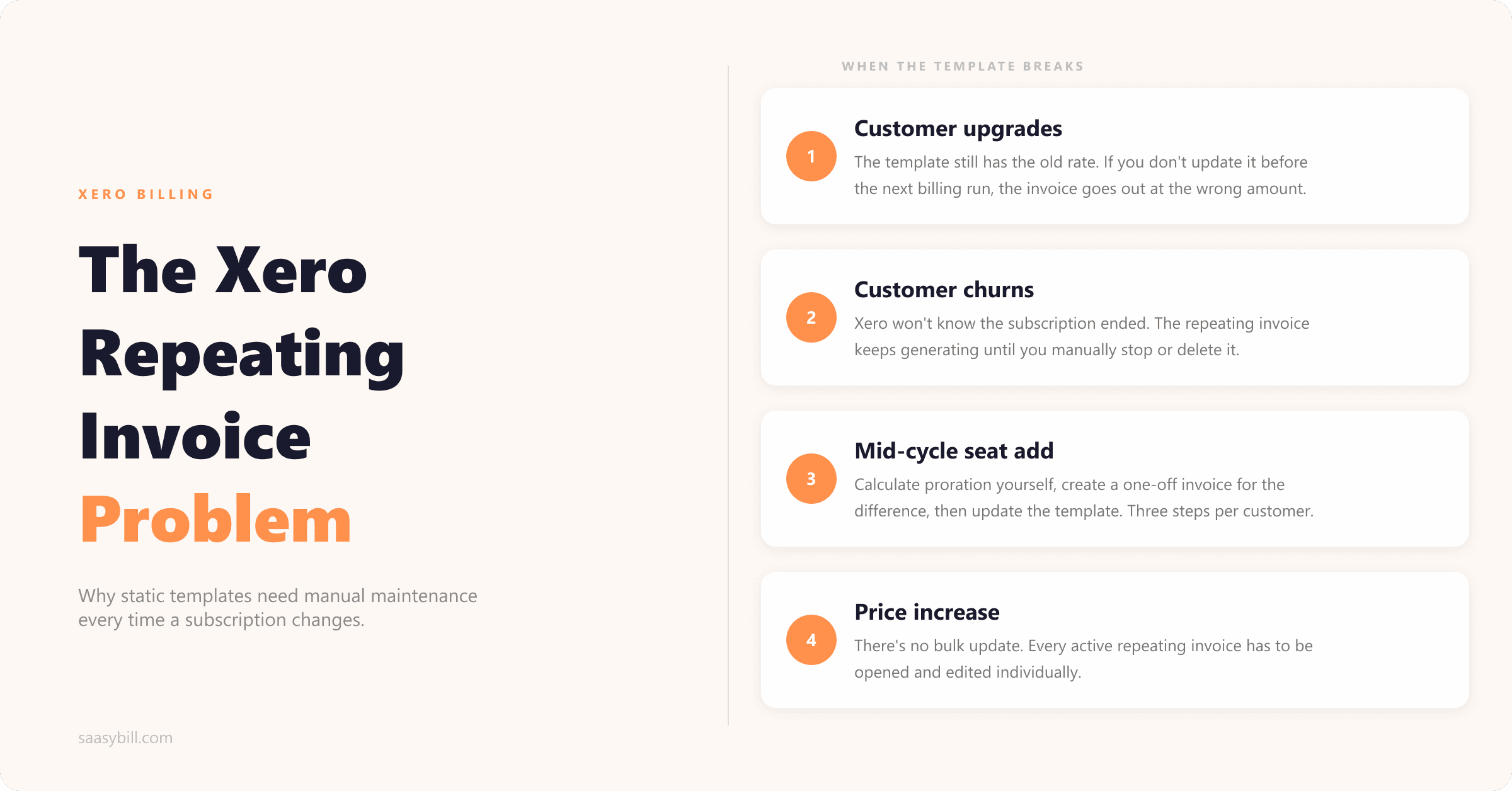
Customer upgrades. When a customer moves to a higher plan, you need to update their repeating invoice before the next billing run. If you don't catch it in time, the invoice goes out at the old rate. There's nothing in Xero to prompt you to do this; you have to remember to go back in and make the change. With a few customers that's manageable. As the number grows, it becomes a regular pre-billing checklist item.
Customer churns. When a customer cancels, you need to delete or stop the repeating invoice before it generates. Xero won't know the subscription ended, it'll just keep creating invoices on schedule. If you don't stop it in time, you've sent an invoice for a service the customer is no longer on.
Mid-cycle changes. When a customer adds seats or upgrades partway through a billing period, the change creates a proration: they owe something for the remainder of the current cycle, and the new rate applies from the next renewal. Xero has no way to calculate this automatically. You calculate it yourself, create a one-off invoice for the difference, and then update the repeating invoice for the new amount going forward. That's three manual steps for one customer change.
Price increases. If you raise your pricing, updating the amount in a repeating invoice does not backfill or notify customers. You have to go into every active repeating invoice and change the amount individually. There's no bulk update. If you have 50 customers, that's 50 separate edits.
Why the manual maintenance compounds
Each of these issues is manageable on its own. The difficulty is that they don't stay isolated. Every month, across a growing customer base, you're dealing with a mix of upgrades, cancellations, price changes, and mid-cycle adjustments. Before every billing run, there's a reconciliation step where you check that every repeating invoice still reflects the current state of every subscription.
That process doesn't scale in proportion to your customer count; it scales faster than it. The more customers you have, the more changes are happening in any given month, and the more things can go out wrong if the pre-billing check is incomplete.
This is what most people mean when they say Xero repeating invoices don't work for subscription billing. It's not that the feature is broken, it's that it's the wrong tool for the job. A template system requires manual maintenance every time anything changes. A billing system should reflect changes automatically.
Common workarounds and why they fall short
Some teams try to manage this with spreadsheets: a list of all active subscriptions, their current amounts, and their renewal dates, which they use to check against the repeating invoices before each run. This adds process but doesn't remove the manual work.
Others use Zapier or similar tools to try to automate parts of it. That tends to work for simple cases and break for anything more complex, and you end up maintaining the automation as well as the billing.
The more complete solution is to switch to a tool that manages the subscription state and generates invoices from it, rather than relying on static templates that have to be updated by hand.
What subscription-aware billing looks like
The core difference is where the source of truth lives. With Xero repeating invoices, the invoice template is the record; when something changes in the business, the template has to be updated manually to reflect it. With a subscription-aware billing tool, the subscription record is the source of truth, and the invoice is generated from whatever the subscription currently says.
When a customer upgrades, you update the subscription. The next invoice reflects the new plan without any further action. When a customer churns, you cancel the subscription. No more invoices are created. Mid-cycle changes generate the proration automatically.
That's what Saasybill does. You define your plans, attach subscriptions to customers, and invoices are created directly inside Xero at each renewal. Changes to a subscription flow through to the next invoice without a separate update step. Xero stays as the source of truth for your accounting and Saasybill handles the subscription logic that Xero doesn't do natively.
There are no transaction fees. It's a flat subscription, and every invoice it creates is a proper Xero invoice, visible to your accountant in exactly the same way as anything created manually.
If you're running more than 15 to 20 subscriptions through Xero repeating invoices and doing a pre-billing check before every run, that's a reasonable point to evaluate whether the tool is still the right fit.
Start billing automatically in minutes.
Connect Xero, set up your plans, and have your first subscription running today. Every invoice lands directly in Xero.